You have to be careful when you use the “I” word.
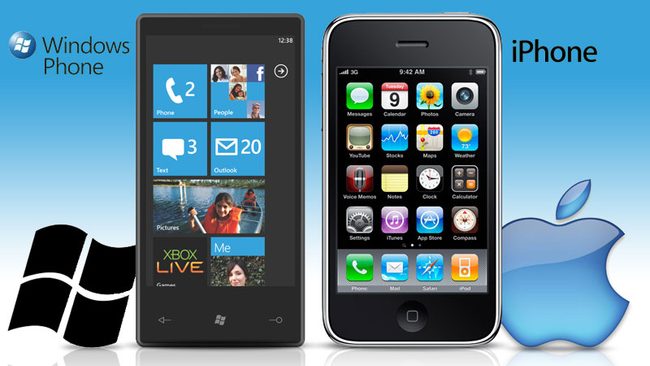
For millions of Americans held hostage by their credit card companies er, wireless carriers, it’s often pang-inducing to bring up the unmentionable Apple phone. After all, this exclusive-to-AT&T device apparently walks on water and cooks you dinner. So, the tech pundits have declared the iPhone the ultimate champion, we get that now. Yet, if you still have months left on your Sprint or Verizon contract, there is no intelligent way to break free and embrace the Apple-sanctioned carrier.
What you can do, though, is upgrade to another phone with your current provider. Microsoft, more than any other company around today, knows this full well. Once the average consumer realized you can buy any phone you want, even if your spouse is stuck with an a Palm Centro until 2011, they started buying Android phones, Palm Pre phones, and just about anything without a Start icon. (By the way, if you’re looking for a good deal on a Centro, there are 14 million of them for sale on eBay.)
The good news is that Microsoft has decided to do something radical: It has re-designed its phone operating system. And, anyone who follows the tech sector will perk up when Microsoft breaks from the norm. Surface tables, Bing search, Zune HD – they are all remarkable departures from a previous effort that restores all hope to mankind, or at least in Redmond, Washington. (Microsoft Word, with its new ribbon interface, is another story, however.) With Windows Phone 7, not only does the interface look much more appealing, it obfuscates all traces of the Start icon, the PC-centric dialogue boxes, the goofy syncing paradigm, and even the Windows Mobile name.
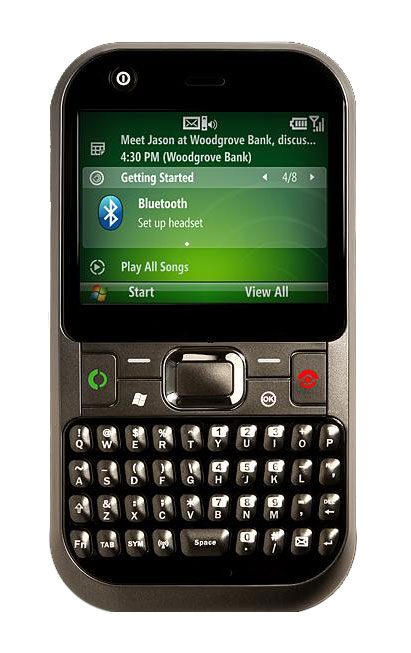 Before we dive into the new interface, let’s recap why Windows Mobile became the laughing stock of the mobile phone industry. For starters, no one connects their phone to a computer anymore. Maybe you do to charge the device, and it’s one way to copy media over, but it is certainly a lost art form when it comes to loading apps. And, a phone actually has limited appeal if it means you always have to carry around a laptop just to add content and apps. We’re in a new age where a smartphone (or, let’s say app phone) can easily take the place of a laptop for basic e-mail, Web, and media.
Another dig against Windows Mobile is that it’s just too difficult to use. For example, let’s say you want to connect to a wireless network. Sure, there is a miniscule icon at the top of the screen on some models, but usually you have to fiddle with an arcane dialog box. Android phones, Pre, and the iPhone all make it much easier to connect. Worse, Bluetooth and 3G access are hard to manage as well; half the time, these networking protocols go haywire. Probably the worst interface “feature” though is that the typical Windows Mobile device still uses a stylus. The manufacturers insist you can use your finger, but not for any advanced features, such as clicking the OK button on a dialog box (ahem).
So, is Window Phone 7 going to be worth an upgrade when the phones start shipping later this year? From all appearances, the answer is a resounding yes. Here’s an overview of the top five reasons Windows Phone 7 may just have a chance of dethroning Apple and Android.
1. Legitimate media support
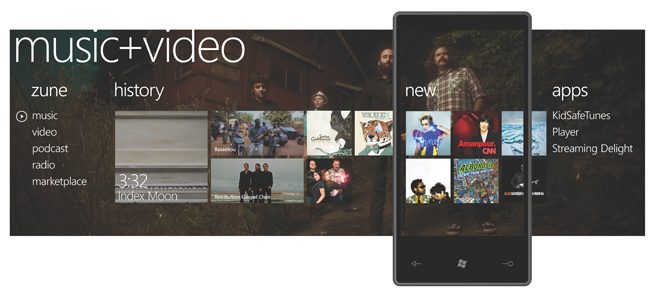
One reason so many users are attracted to the iPhone is because of media consumption. It’s really easy to buy songs, add movies over iTunes, or snap a photo and add it to your library. Conversely, on a Win Mobile device, adding music, movies, and photos was like playing the violin with boxing gloves: possible, but not easy. Windows Phone is a stark departure – in many ways, it works better than the iPhone because there is a new graphics-intensive look and feel. The new OS is so closely related to the Zune HD that, when you select the icon for media, the header says Zune. Here, you can swipe through album covers and browse video thumbnails that make it easy to find content. On the iPhone, browsing through media is just a hair more difficult, and Android is also just passable. For the most part, you browse through a text listing unless you turn the phone sideways and struggle with cover flow.
For photos, Windows Phone now uses an interface that is more like Adobe Lightroom: there are easy-to-find thumbnails you can flick through, options for viewing favorites or photo albums, and a way to share your pictures to services such as Facebook and Windows Live.
2. Contacts
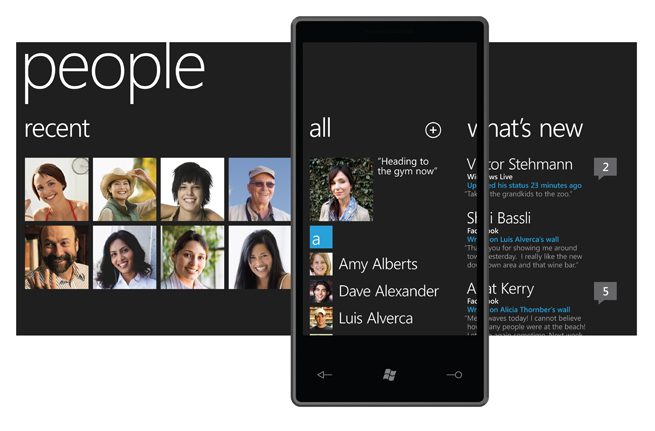
Like the media browser, searching through contacts in Windows Mobile is also graphics-intensive. Meaning, you look through pictures of people, not names. Like the Pre, Windows Phone now combines social networking information – and even status – with your contacts. There’s a huge paradigm shift here. A contact is not someone you just call, you can see Facebook and tweets for your contact as well. (Maybe an OS like Windows Phone can even make Facebook a verb, who knows?) Some might say – it is about time, Microsoft. Even Windows 7 on the desktop seems blissfully unaware of Twitter, while netbook operating systems like Jolicloud and Moblin (now renamed to Meego) are all over Twitter. In Win Phone, the contacts view called “People” is a major improvement and much more visual.
3. Productivity
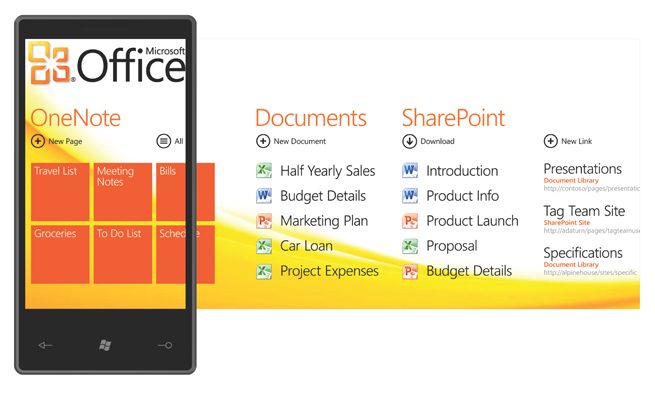
If any phone OS should get an edge for productivity, it should be a Microsoft product. Even Windows Mobile enjoyed a loyal following of business users who knew, right out of the box, that the phone would let them open and edit Word, Excel, and PowerPoint docs. Windows Phone is not a radical departure from how Windows Mobile worked – there is a textual list of documents you can open and edit, and you can load these documents when you connect over USB. It’s unclear from the early reports on Windows Phone whether productivity will be enhanced by, say, a better online repository or method of adding documents or backing them up.
4. Games
Games on Win Mobile devices languished well behind other smartphone platforms – there were a handful of real-time strategy games and some less-than-innovative puzzle games. (Win Mobile beat other platforms by the sheer number of games available, but many of them are unimpressive.) With Windows Phone 7, Microsoft is going full-bore with Xbox Live connectivity. For example, you can actually sync your account to earn achievement on a phone and use them on the Xbox 360. In a widely circulated game demo video, Microsoft showed off Destructoid, a game in the third-person that showed destructible environments, 3D graphics with shadow detail, and touch-screen controls.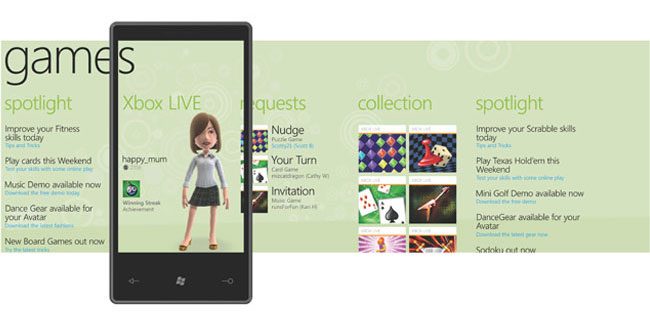
5. App selection
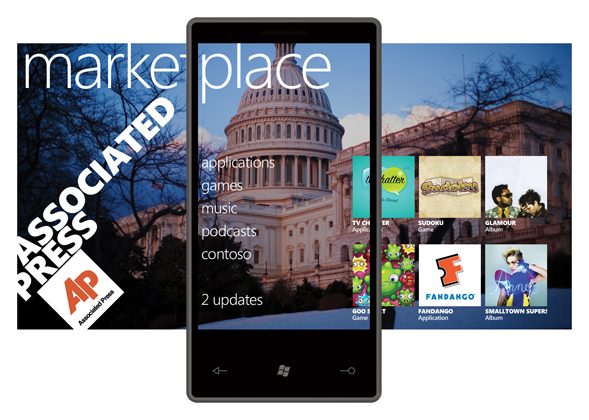
Obviously, the iPhone and Android devices have just slaughtered Windows Mobile phones in terms of innovative apps. When you can sing into your phone and it corrects your pitch and adds music (see LaDiDa) or point your camera at the sky and see which constellations are up there in real time (Google Sky), and your competition offers a business app that lets you convert currency, you know there is a gaping disparity. Microsoft intends to change that with truly innovative app, a revised Marketplace storefront (already available for Win Mobile devices), and develop tools that might just attract that 16-year-old programming whiz kid working in his parent’s basement. Already, there are signs of some really impressive apps, like Foursquare, Netflix, and Shazam coming to the Windows Phone platform.
Where will this reboot lead? Can Windows Phone actually garner some new followers who abandon their current Android fixation or (dare to believe!) the iPhone? In many ways, it depends on how the new interface works as a whole. The individual components look amazing, but it’s still too early to tell if a Win Phone 7 will have that pick-up-and-go goodness of other platforms.